Properties
This section covers the operational workflow and records related to properties in the Property Management module.A property is an entity that represents land owned by an entity called a landlord. It can have multiple structures and the structures can have spaces given they have floors.
Overview
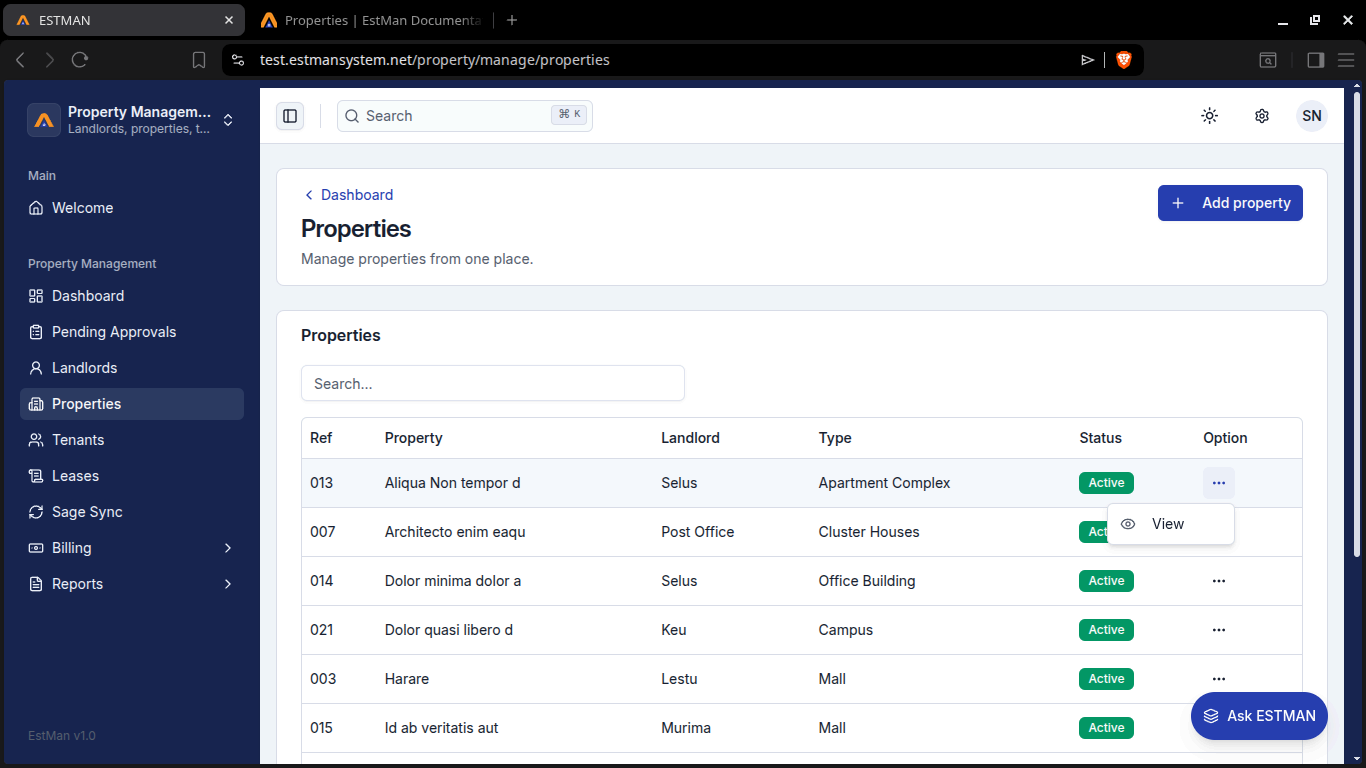
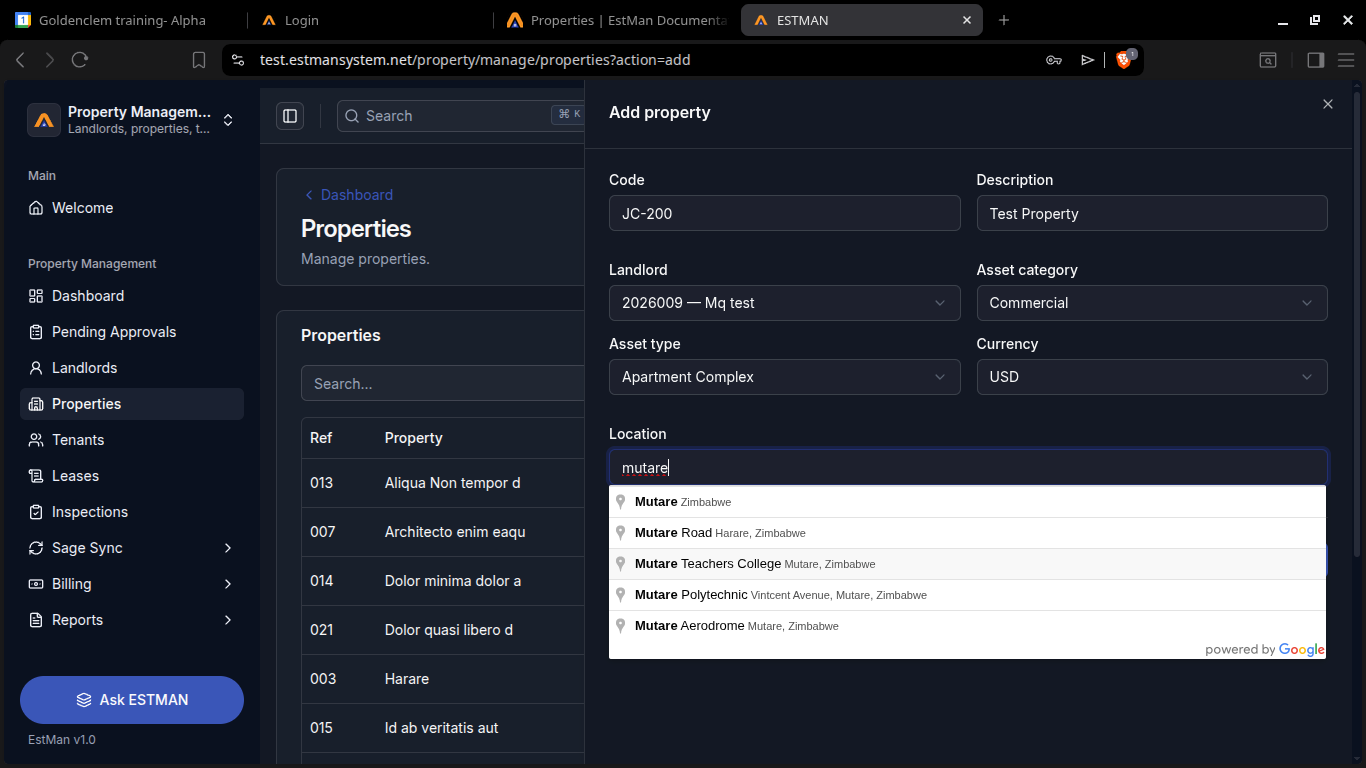
Section titled “Overview”Here you can edit properties, like add structures and spaces. You can view the geographical location of properties through the google maps integration. You can view the other details like owner, type, vacant spaces, spaces, sructures, parking management and maintenance schedule. This is all done through [options > view] You can also add new properties via the add property button and filling in the appropriate details. Note on location you type in and a dropdown will assist you through suggesting and estimating the location you want. The image below shows the initialisation of the process through property Aliqua Non Tempor d, as well as showcase the properties menu.
Rules and requirements
Section titled “Rules and requirements”Rules
- a property cannot have multiple landlord
- some properties cannot have multiple floors eg House
Requirements to create property
- landlord
- Asset Category
- Asset Type
- Location