
Sage Sync
This section covers the operational workflow and records related to sage sync in the Property Management module.
Overview
Section titled “Overview”In this section you can import your data from SAGE (landlords, tenants Suppliers). We have three sections in Sage Sync, namely import landlords, import tenants and export Tenants.
Import Landlords
Section titled “Import Landlords”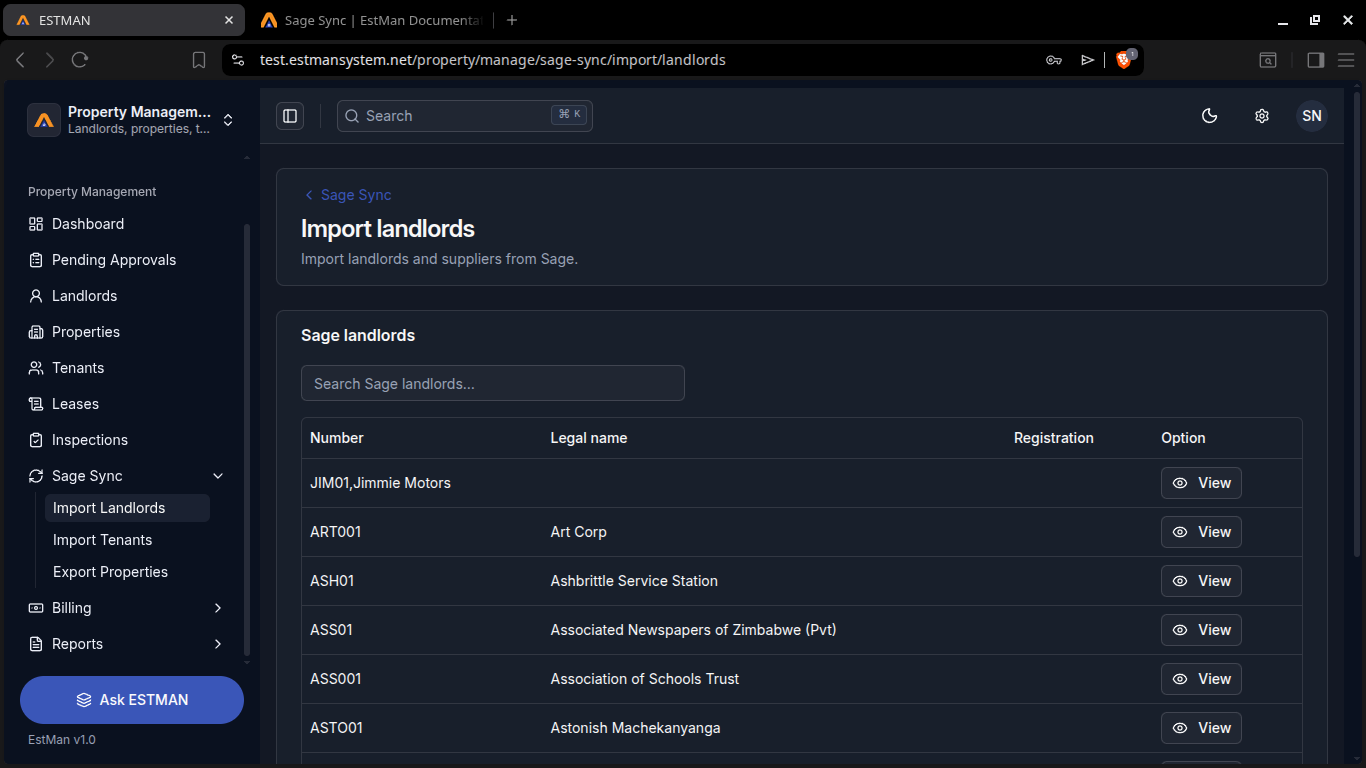
here you can import your Landlords from sage. they are listed in the sage landlords table where you can search for them when looking for a specific or scroll through the table. To import you click the [view] button under the [Option] column.
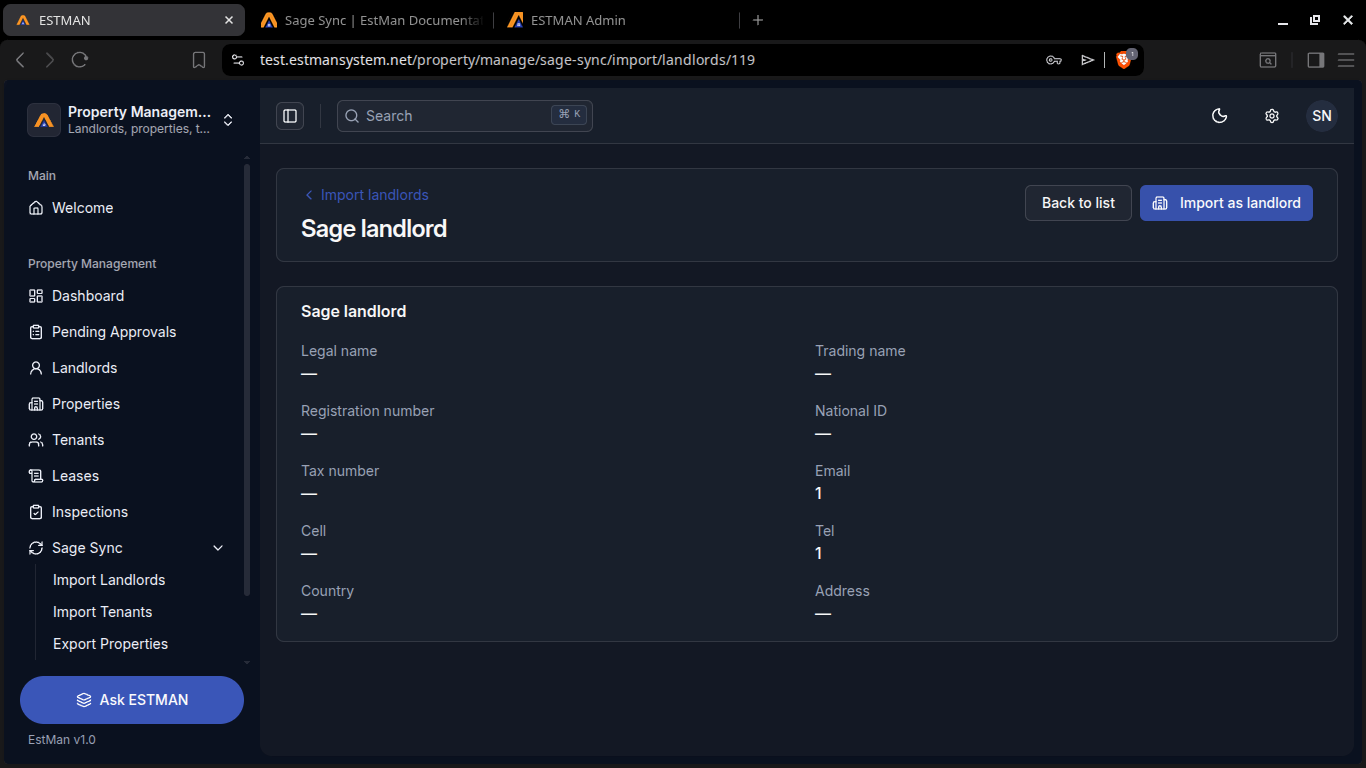
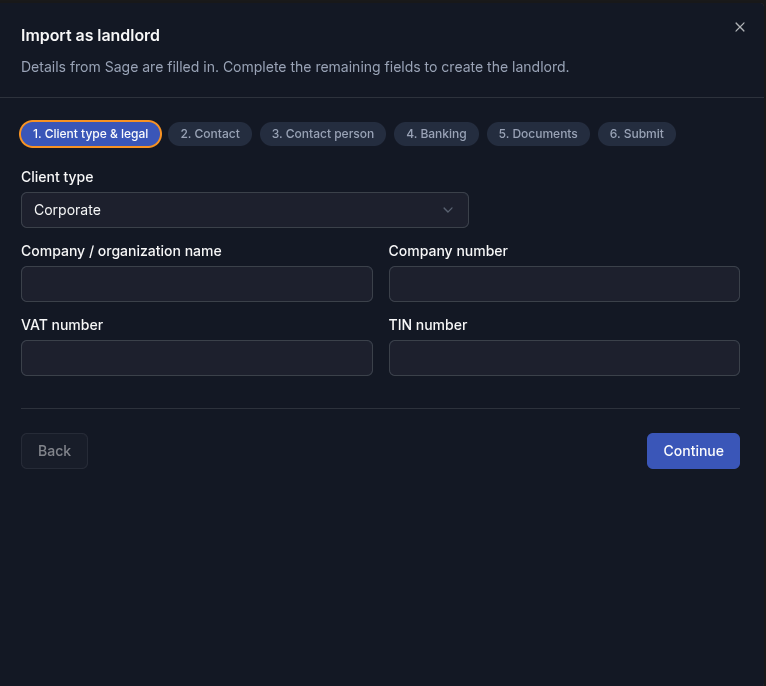
in the view form you hit the [Import as Landlord] button, and this takes you through the form for filling in their details through 6 steps and submit throught the final step named submit and clicking the submit button. The landlord will no longer appear in the table and will now be available in the various sections of the estman system.
Import Tenants
Section titled “Import Tenants”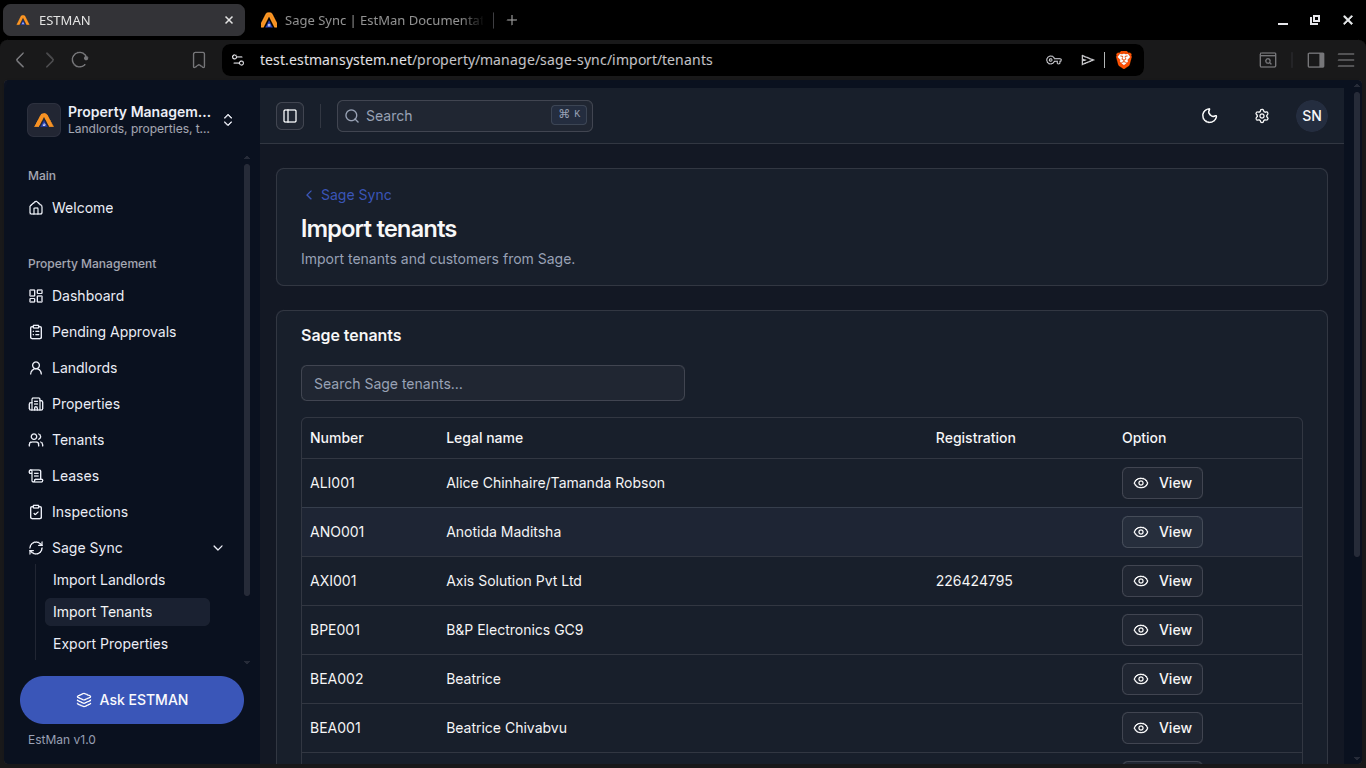
here you can import your Landlords from sage. they are listed in the sage landlords table where you can search for them when looking for a specific or scroll through the table. To import you click the [view] button under the [Option] column.
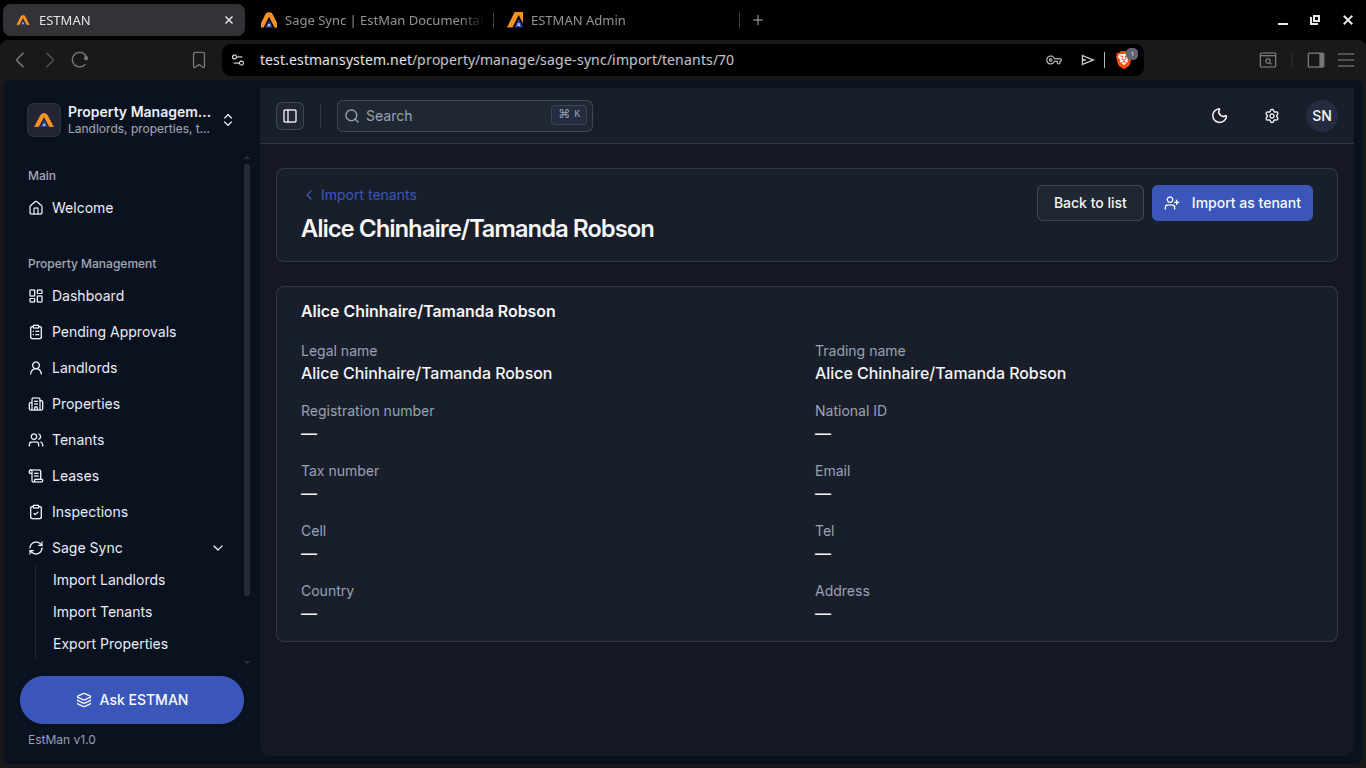
in the view form you hit the [Import as Tenant] button, and this takes you through the form for filling in their details through 6 steps and submit throught the final step named submit and clicking the submit button. The Tenant will no longer appear in the table and will now be available in the various sections of the estman system.
Export Properties
Section titled “Export Properties”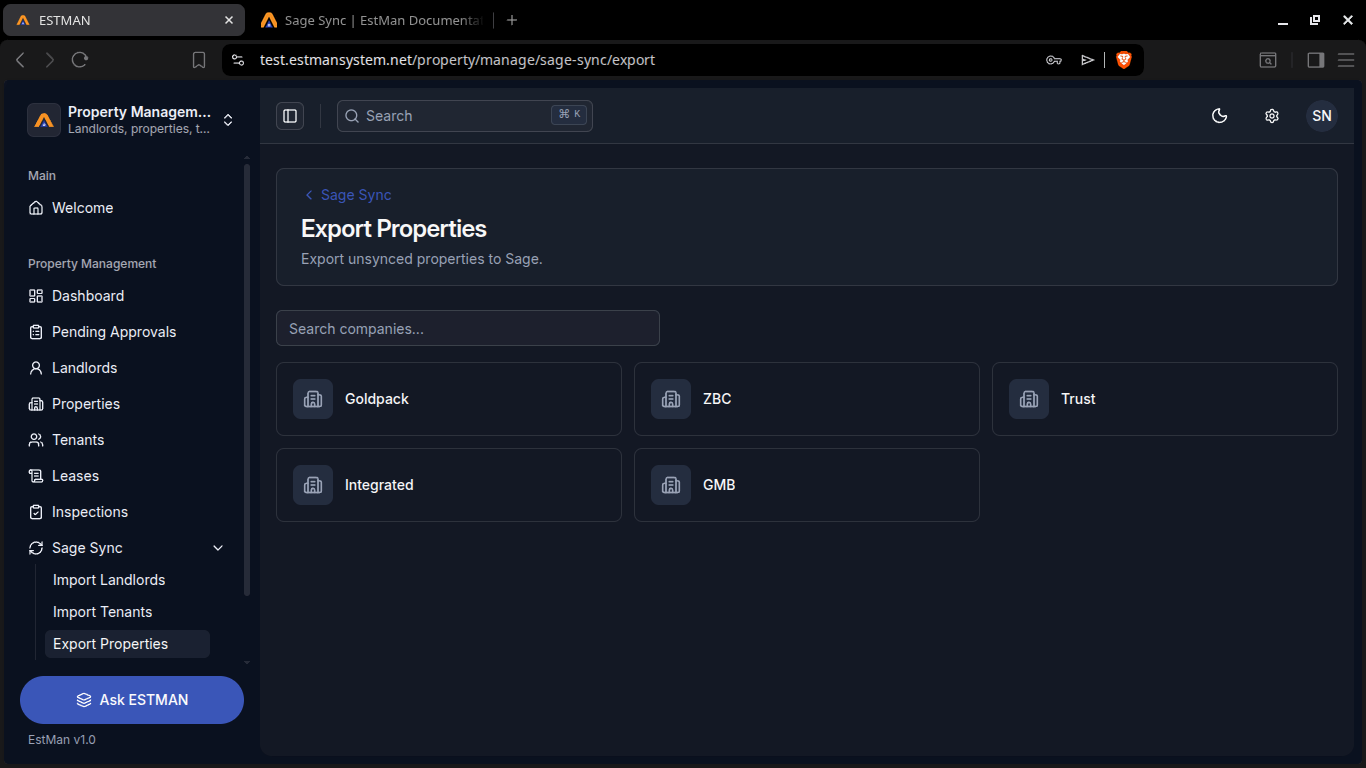
Here you can export unsynced properties to sage to begin just select the company which you can also search for using the search bar.You select by clicking the client and you will be redirected to the property selection page.
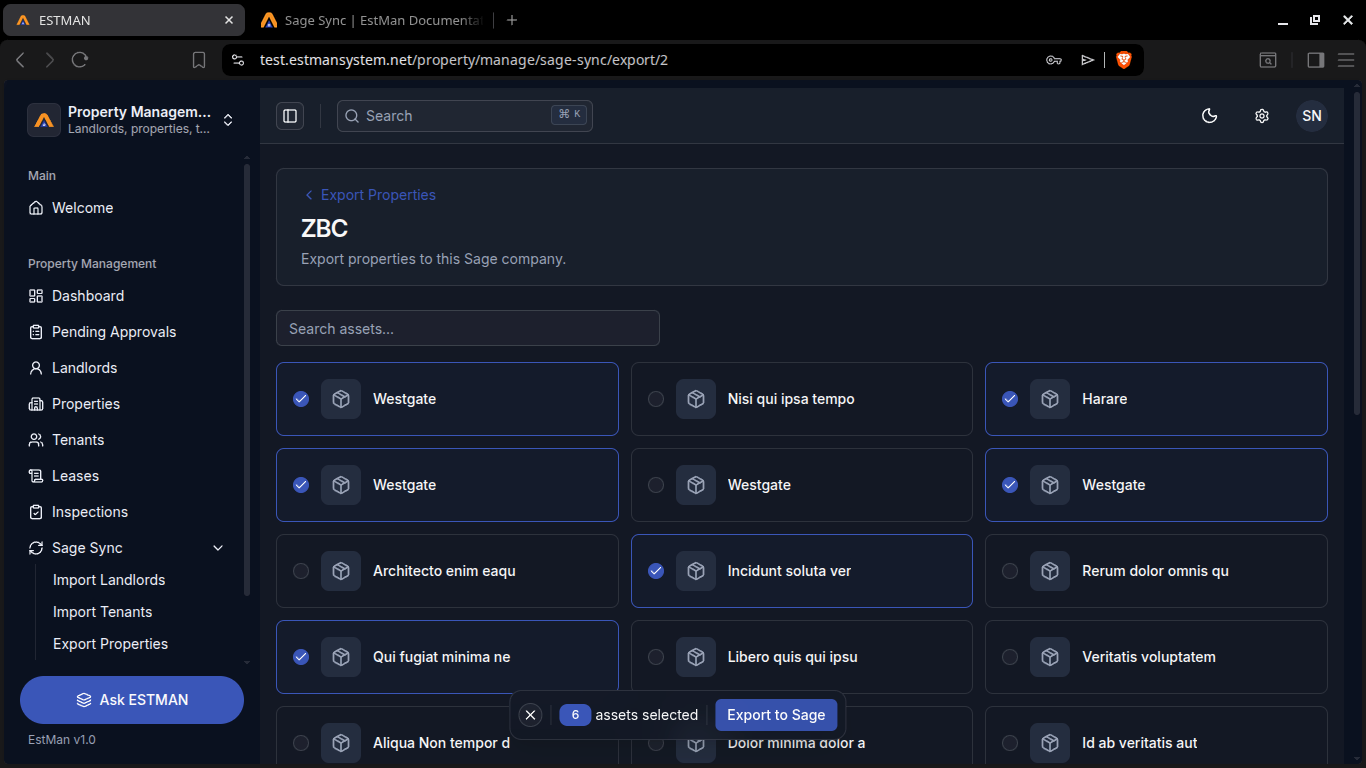
here you just select the properties to export and click the [Export to Sage] button.
Rules and Requirements
Section titled “Rules and Requirements”Rules
Requirements
- personnal details
- identification Document