Approval Flows
in this section you can review and update configured approval flows in the Setup module.
Overview
Section titled “Overview”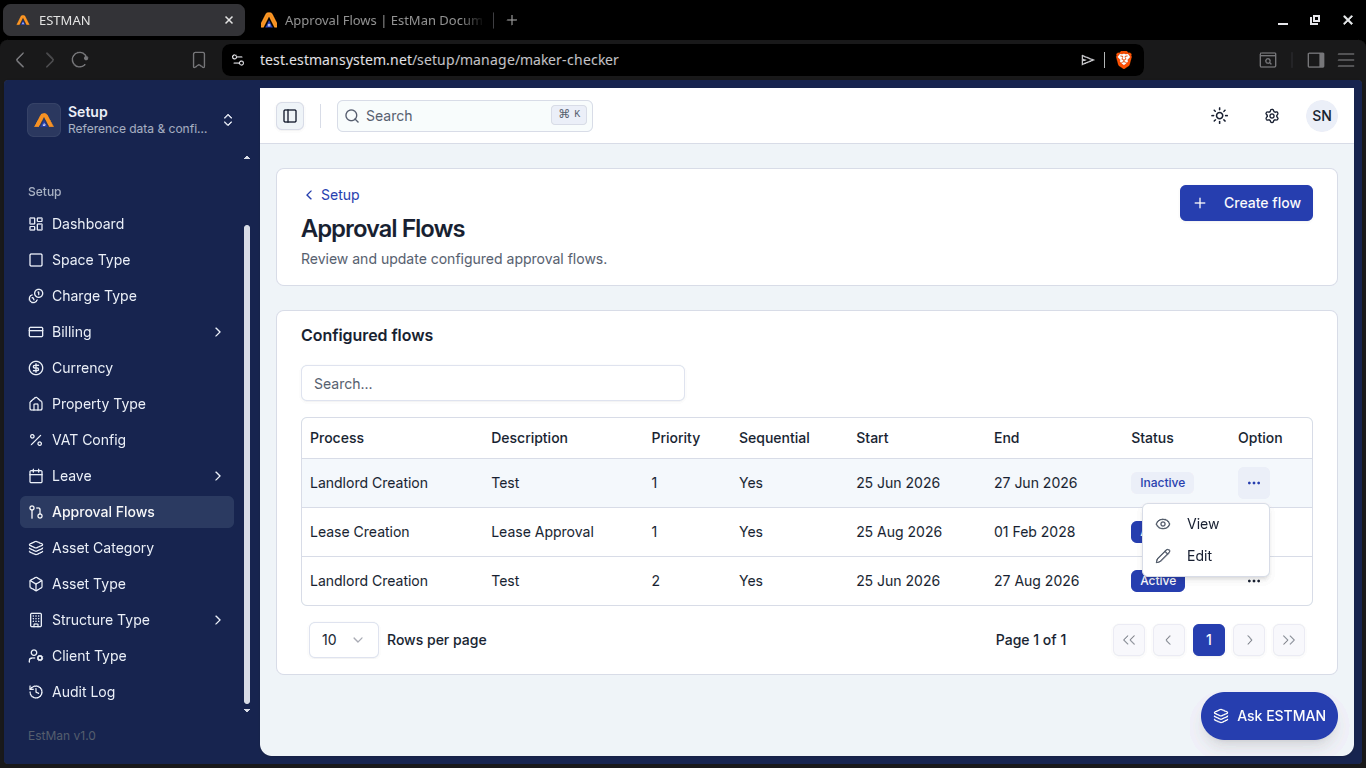
Here you can view configured flows which can be active or inactive as they are listed in the table. They also have priority, that should be paid attention to, ranges from 1 highest to 10 lowest priority. You can create an Approval Flow of your own using the [create flow] button. You do require to create approvers before continuing as they are vital in the details require to create the flow.
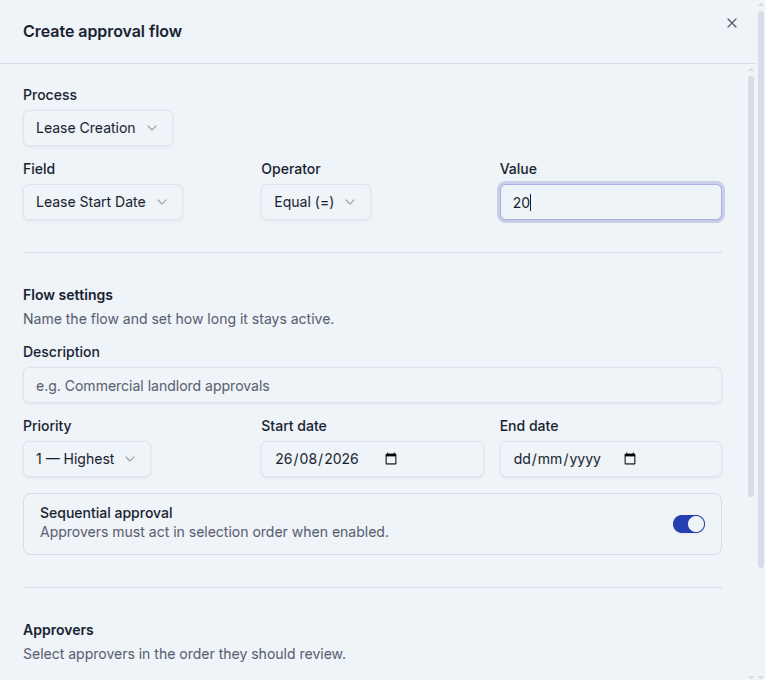
Creating a workflow
Section titled “Creating a workflow”Before creating do make sure you have stuff that can be created or imported in the human capital module, staff section and will be used as approvers in this section. To initiate the process click the create flow button and the system will present a Form. Approval flows are time sensitive hence they require you to set a period. The description should be meaningful and the sequential approval is recommended for a clean workflow.If you do select this option the order you select the approvers is the order that would be used by the approvers to approve.Estman helps you with tracking the order you are setting by numbering each clicked approver. If not then they can work in any order they like or do.
approval flow form tutorial